Multiple apps making your Macbook (intel chip) slow ? Try this.

During this summer when I was working on a project that required me to run IOS and Android simulators at the same time and on top of it screen sharing on zoom literally made my macbook cry.
CMD + Q
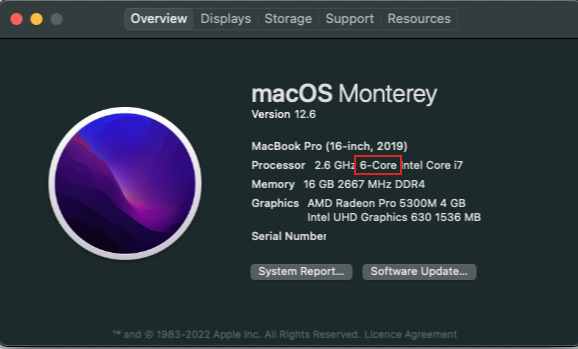
I talked to apple support about this problem and they suggested me to run fewer apps in parallel and quit all non required apps from memory(cmd + Q). for e.g. if your machine has 6 core then run only 6 apps in parallel including the background processes. Not sure of the internal workings, but for me this wasn't the solution.
Check this by going to Menu > About my mac
Activity Monitor
Next step - we checked the activity monitor - the process called kernel task was hogging all the processing power and was slowing down the machine ever further. I realised that this kernel task kicks in whenever the machine starts heating up.
My colleagues who were working in an Air conditioned environment, their macbook performance was much better.
Turbo boost
After googling a lot I read somewhere that there is a feature in mac with intel chips called Turbo boost which runs behind the scene and allows the mac processor to run at higher frequencies.
I installed a tool called Turbo boost switcher and turned off the turbo boost feature.
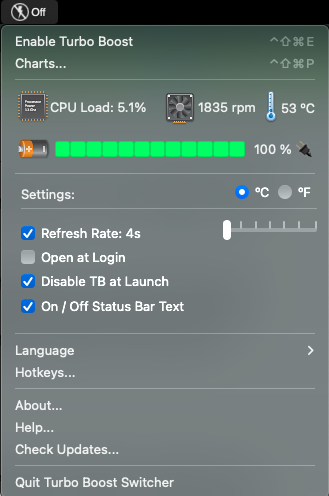
This significantly improved the performance of my machine. I was able to work on multiple simulators without any heating issue. Please give this a try this may solve your problem too.
Thanks !
About the author
Frontend Developer at Thoughtworks
Comments
Join the discussionNo comments yet. Be the first to comment.